
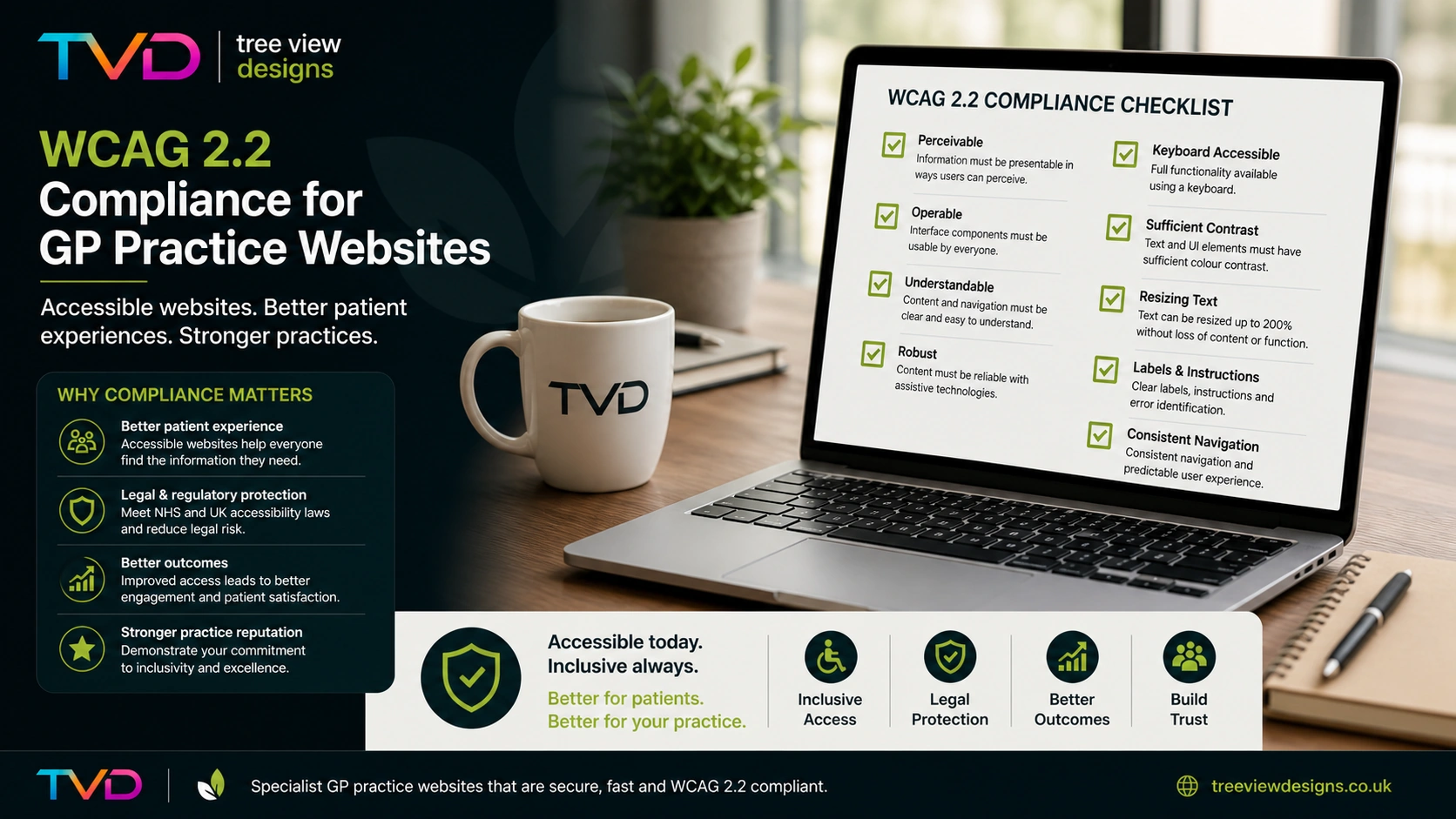
Every NHS GP practice website in England must meet accessibility standards. This is not optional guidance—it is a legal requirement under the Public Sector Bodies (Websites and Mobile Applications) Accessibility Regulations 2018. The standard those regulations reference is WCAG, the Web Content Accessibility Guidelines, and the current version is WCAG 2.2.
This article explains why accessibility matters for GP websites, what changed in WCAG 2.2, where practices most commonly fall short, and what you can do to ensure your website is compliant.
Why Accessibility Matters for GP Websites
Legal Obligations
The Public Sector Bodies Accessibility Regulations 2018 require public sector websites to meet WCAG 2.2 at Level AA. NHS bodies, including GP practices, are covered by these regulations. Organisations that fail to comply are in breach of the Equality Act 2010, and enforcement sits with the Equality and Human Rights Commission (EHRC), which has the power to investigate, issue unlawful act notices, and take court action.
Every practice website must also publish an accessibility statement describing its current level of compliance, any known issues, and how patients can report problems.
Patient Impact
Accessibility is not just a legal box to tick. One in five people in the UK lives with a disability. Many more experience situational barriers: a patient reading their screen in bright sunlight, an elderly person using a tablet with trembling hands, or a carer trying to book an appointment one-handed while holding a child. When a website is inaccessible, these patients cannot complete basic tasks like booking an appointment, ordering a prescription, or finding the practice phone number.
An accessible website serves every patient, regardless of ability, device, or circumstance.
What Changed in WCAG 2.2
WCAG 2.2 was published in October 2023 and builds on the previous version (WCAG 2.1) by adding nine new success criteria. It does not remove or change any existing requirements—it only adds new ones. For practices targeting the required AA level, six of the nine new criteria apply.
New AA Criteria
- Focus Not Obscured (2.4.11): When a patient navigates your website using a keyboard (common for screen reader users and people with motor disabilities), the focused element must not be completely hidden behind sticky headers, cookie banners, or other overlapping content. The user must always be able to see what they have selected.
- Dragging Movements (2.5.7): Any action that requires dragging (such as reordering items or moving sliders) must also be achievable with a simple click or tap. This helps patients who cannot perform precise pointer movements.
- Target Size (2.5.8): Interactive elements—buttons, links, form controls—must be at least 24 by 24 CSS pixels, or have sufficient spacing from adjacent targets. Small, tightly packed links are a common failure on GP websites, particularly in mobile navigation menus.
- Accessible Authentication (3.3.8): Login and authentication processes must not rely solely on cognitive function tests such as puzzles, CAPTCHAs, or memorised passwords without offering an alternative. Practices using patient portals or online consultation tools should verify that their login flows meet this requirement.
New A Criteria (Also Required for AA)
- Consistent Help (3.2.6): If your website provides a help mechanism (such as a contact phone number, live chat, or FAQ link), it must appear in the same relative position on every page. Patients should never have to hunt for how to get help.
- Redundant Entry (3.3.7): If a patient has already provided information during a process (for example, entering their name on step one of a multi-step form), your website must not ask them to re-enter that same information on a later step. It should be auto-populated or available for the user to select.
Common Accessibility Failures on GP Websites
Based on our experience auditing GP practice websites, the same issues appear repeatedly. These are the areas most likely to cause compliance failures:
Poor Colour Contrast
Text that does not have sufficient contrast against its background is one of the most common WCAG failures. The minimum contrast ratio for normal text is 4.5:1 and for large text is 3:1. Light grey text on white backgrounds, coloured text on coloured backgrounds, and placeholder text in form fields are frequent offenders.
Missing Alternative Text
Every meaningful image must have descriptive alt text so that screen reader users understand its
purpose. Decorative images should be marked with an empty alt attribute (alt="") so
they are skipped entirely. Many GP websites have images with no alt text at all, or with unhelpful
text like “image1.jpg” or “photo.”
Inaccessible Forms
Online consultation forms, appointment request forms, and registration forms are critical patient journeys. Common failures include form fields without associated labels, error messages that are not programmatically linked to the field they describe, and forms that cannot be completed using a keyboard alone.
Keyboard Navigation Issues
Every interactive element on a website must be reachable and operable using only a keyboard. Dropdown menus that only open on mouse hover, buttons that are not focusable, and modal dialogs that trap keyboard focus without providing an escape route are all common problems.
PDF-Only Content
Many practices publish important information—complaints procedures, registration forms, practice leaflets—exclusively as PDFs. PDFs are often inaccessible: they may lack proper heading structure, reading order, or alternative text for images. Where possible, content should be published as web pages with a PDF offered as a supplementary download.
Missing Accessibility Statement
The regulations require every public sector website to publish an accessibility statement. It must describe the website’s current level of WCAG compliance, list any known accessibility issues with a timeline for fixing them, and provide a way for patients to report new problems. A surprising number of GP practice websites either have no accessibility statement or have one that is out of date.
A Practical WCAG 2.2 AA Checklist for GP Websites
Use this checklist to assess the most critical WCAG 2.2 AA requirements for your practice website:
- All text meets minimum contrast ratios (4.5:1 normal, 3:1 large)
- Every meaningful image has descriptive alt text
- All form fields have associated labels
- Form errors are described in text and linked to the relevant field
- The entire website is navigable by keyboard alone
- Focus indicators are clearly visible and never obscured
- Interactive targets are at least 24 × 24 CSS pixels
- No functionality requires dragging without a click/tap alternative
- Help mechanisms appear in consistent positions across pages
- Multi-step forms do not ask for previously entered information again
- Authentication does not rely solely on cognitive tests
- Video content has captions; audio content has transcripts
- Pages have a logical heading hierarchy (h1 → h2 → h3, no skips)
- The website works correctly at 200% zoom
- An up-to-date accessibility statement is published
How Tree View Designs Handles Accessibility
Every website we build is designed to meet WCAG 2.2 AA from the ground up. Accessibility is not an afterthought or an add-on—it is embedded in our development process:
- Semantic HTML: Proper heading hierarchy, landmark regions, and ARIA attributes throughout every template.
- Keyboard navigation: Every interactive element is focusable, operable, and has a visible focus indicator.
- Colour contrast: Our design system is built on a palette that meets AA contrast ratios in both light and dark modes.
- Accessible forms: All form fields have proper labels, error messages are programmatically associated with inputs, and validation feedback is announced to screen readers.
- Responsive targets: All buttons and links meet the 24 × 24 pixel minimum target size.
-
Reduced motion support: All animations respect the
prefers-reduced-motionsystem setting.
For Premium customers, we provide annual accessibility audits to ensure continued compliance as standards evolve and content changes. We also generate and maintain the required accessibility statement on your behalf.
What Should You Do Next?
If you are unsure whether your current website meets WCAG 2.2 AA, start with a basic audit using free tools:
- WAVE by WebAIM identifies common accessibility errors on any web page.
- Google Lighthouse (built into Chrome DevTools) includes an accessibility audit.
- Manual keyboard testing: unplug your mouse and try to complete every patient journey using only the Tab key, Enter, and arrow keys.
These tools will catch many issues, but automated testing alone only identifies around 30–40% of accessibility barriers. A thorough manual audit by someone who understands WCAG is essential for full compliance.
Not sure where your website stands? Get in touch for an honest assessment of your current accessibility position and a clear path to compliance.