

Cookie consent is one of the small things that is easy for a GP practice website to get quietly wrong. The banner appears, a patient clicks something to make it disappear, and everyone moves on. But that banner is a legal mechanism, and when it is set up poorly it can mean a practice is collecting data it has no permission to collect.
This article explains, in plain terms, what cookie consent is, what the law actually requires, where GP practice websites most commonly fall short, and how to tell whether yours is doing its job properly.
What cookie consent is, and why it is a legal matter
A cookie is a small file a website stores on a visitor’s device. Some cookies are essential: they keep a site working, remember what has been typed into a form, or hold a login session. Others are not essential, such as analytics cookies that measure how a site is used, or third-party cookies set by embedded maps, videos and social media feeds.
Two pieces of law govern this. The Privacy and Electronic Communications Regulations (PECR) cover the act of storing cookies on a patient’s device. The UK GDPR covers any personal data those cookies then collect. Both are enforced by the Information Commissioner’s Office (ICO).
The core rule is straightforward. Essential cookies need no consent. Since 5 February 2026, cookies whose only purpose is to gather statistics about how the site is used so that it can be improved, or only to adapt how it appears or functions to the patient’s preferences, may run without consent provided the patient is given clear information and a simple, free way to object, and provided the data is not passed to anyone else for their own purposes. Every other non-essential cookie, including advertising, profiling and most third-party embeds, still needs the patient’s clear, informed consent before it is set. The detail is set out in the ICO’s guidance on cookies.
Updated 18 September 2026. The Data (Use and Access) Act 2025 amended regulation 6 of PECR from 5 February 2026. Cookies used only for statistics about how a site is used, with clear information and a simple way to object, and cookies needed only for functions or appearance the patient has chosen, no longer need prior consent. Advertising and tracking cookies still do. This article originally described the earlier rule, under which every non-essential cookie needed consent first, and has been revised to reflect the change.
What compliant cookie consent looks like
A cookie banner that meets the standard has a few clear characteristics:
- Nothing that needs consent loads first. Advertising, profiling and third-party cookies must not be set until the patient has actively agreed. If your analytics runs on the opt-out basis instead, clear information and a simple way to object must be in place from the first page, and the analytics provider must use the data only to help you improve the site.
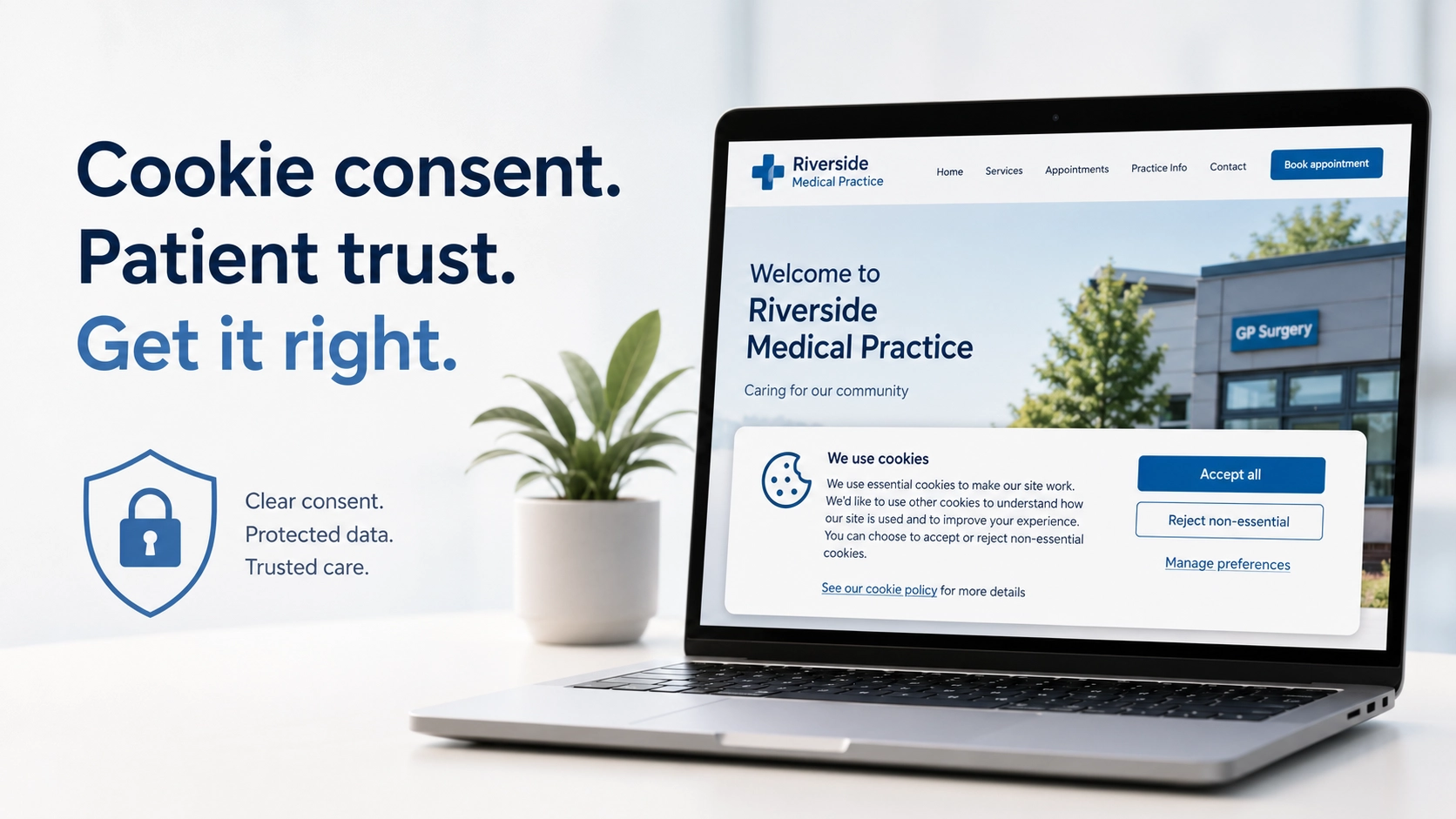
- Accepting and rejecting are equally easy. Turning non-essential cookies down must be as simple as accepting them, ideally one click on the same screen. A prominent “Accept all” button next to a buried or missing reject option is not valid consent.
- Nothing is pre-ticked. Consent has to be a positive action. Options switched on by default do not count.
- The language is plain. The banner should briefly say what cookies are used and why, in words a patient can understand, with a link to fuller detail.
- There is a cookie policy page. A dedicated page should list the cookies the site uses, what each one is for, and how long it lasts.
- Patients can change their mind. It must be possible to withdraw or change a choice later, just as easily as it was given.
Consent also cannot be bundled into something else. A line such as “by continuing to use this site you accept our cookies” is not consent. It is the absence of a choice.
Where GP practice websites commonly fall short
From reviewing practice websites, the same handful of issues come up again and again.
Analytics that fires before consent
The most frequent problem. The cookie banner is on screen asking for permission while a script that needs that permission has already run. The banner becomes decoration rather than a real gate.
An unbalanced banner
A bright “Accept all” button paired with a faint “Manage settings” link, or no reject option at all. The ICO has been explicit that rejecting must be as straightforward as accepting.
Implied consent
Banners that treat a patient as having agreed simply by scrolling or carrying on browsing. Implied consent has not been acceptable for some years.
Silent third-party cookies
Embedded Google Maps, YouTube videos and social media feeds often set their own cookies the moment a page loads. Practices are frequently unaware these are there at all, because the content was added for a sensible reason, such as showing patients where the surgery is, without anyone realising a third-party cookie came with it.
A missing or out-of-date cookie policy
Either there is no cookie policy page, or there is one that no longer matches what the website actually does.
A banner that gets in the way
A cookie banner that covers content, cannot be dismissed with a keyboard, or traps keyboard focus is also an accessibility failure. We looked at this in our guide to WCAG 2.2 compliance for GP practice websites. The banner has to be usable by every patient, not only those using a mouse.
Why this matters more for a GP practice
Any website should handle cookies properly, but a GP practice has particular reasons to take it seriously.
A practice website is a public-facing NHS service, held to a higher standard than a typical commercial site. Cookie consent is also one of the website-related items in the NHS Data Security and Protection Toolkit, which we covered in our article on the website parts of the DSP Toolkit. And there is the question of trust. A practice handles some of the most sensitive personal data there is, and the cookie banner is often the very first thing a patient sees. It quietly signals how carefully the practice treats their privacy.
A quick self-check for your practice website
Open your website in a private browsing window and run through these questions:
- Does the cookie banner appear before any cookie that needs consent is set?
- Can you reject non-essential cookies as easily as you can accept them?
- Are all options switched off by default, with nothing pre-ticked?
- Is there a cookie policy page, and does it match what the site actually uses?
- Can you change your choice after the banner has gone?
- Can the banner be used with a keyboard alone, without trapping focus?
If any answer is “no” or “not sure”, that is worth raising with whoever looks after your website.
How Tree View Designs handles cookie consent
Every website we build comes with compliant cookie consent as standard. Non-essential cookies are blocked until the patient agrees, accepting and rejecting are given equal prominence, nothing is pre-ticked, and a clear cookie policy is provided and kept current. The banner itself is built to the same WCAG 2.2 AA accessibility standard as the rest of the site. It is part of the wider approach we take to data protection, which you can read about on our security and compliance page.
Closing thoughts
Cookie consent is not complicated, but it is easy to leave on a default setting and assume it is fine. For a GP practice, a few minutes spent checking is well worth it, both because it is a legal requirement and because it is a small, visible sign that the practice takes patient privacy seriously.
If you would like an honest review of how your practice website handles cookies and consent, get in touch. We are always happy to take a look and let you know where you stand.