







Your practice has found a new website provider. Then come the questions: will you keep the same address? Who moves the content? Will old links still work? And what does the team need to do?
A move is easier when those questions are answered before launch. You do not need to become a domain expert. You need a clear plan, named contacts and a chance to check the new website before patients start using it.
Here is how we help practices move to Tree View Designs, and what to discuss with any new provider. If you are still comparing suppliers, start with our guide to choosing a GP website provider.
Can we keep our existing website address?
Moving providers does not necessarily mean changing your domain, such as yourpractice.nhs.uk. Keeping the address avoids having to replace it on letters, posters and other practice information. First establish who manages the domain and who can authorise changes.
Who manages your address?
Transfer its management where needed. Confirm who can authorise the change.
Where does it point?
Update the settings that direct visitors to the approved new website.
These are separate tasks. Completing one does not automatically complete the other. Your provider should explain which steps your move requires.
For NHS domains, TVD contacts the NHS DNS team to coordinate the website switch. We normally work to their preference for seven days’ notice, although they may be able to accommodate a shorter timescale. Our technical team coordinates non-NHS domain and DNS work with the relevant provider.
What happens to our content?
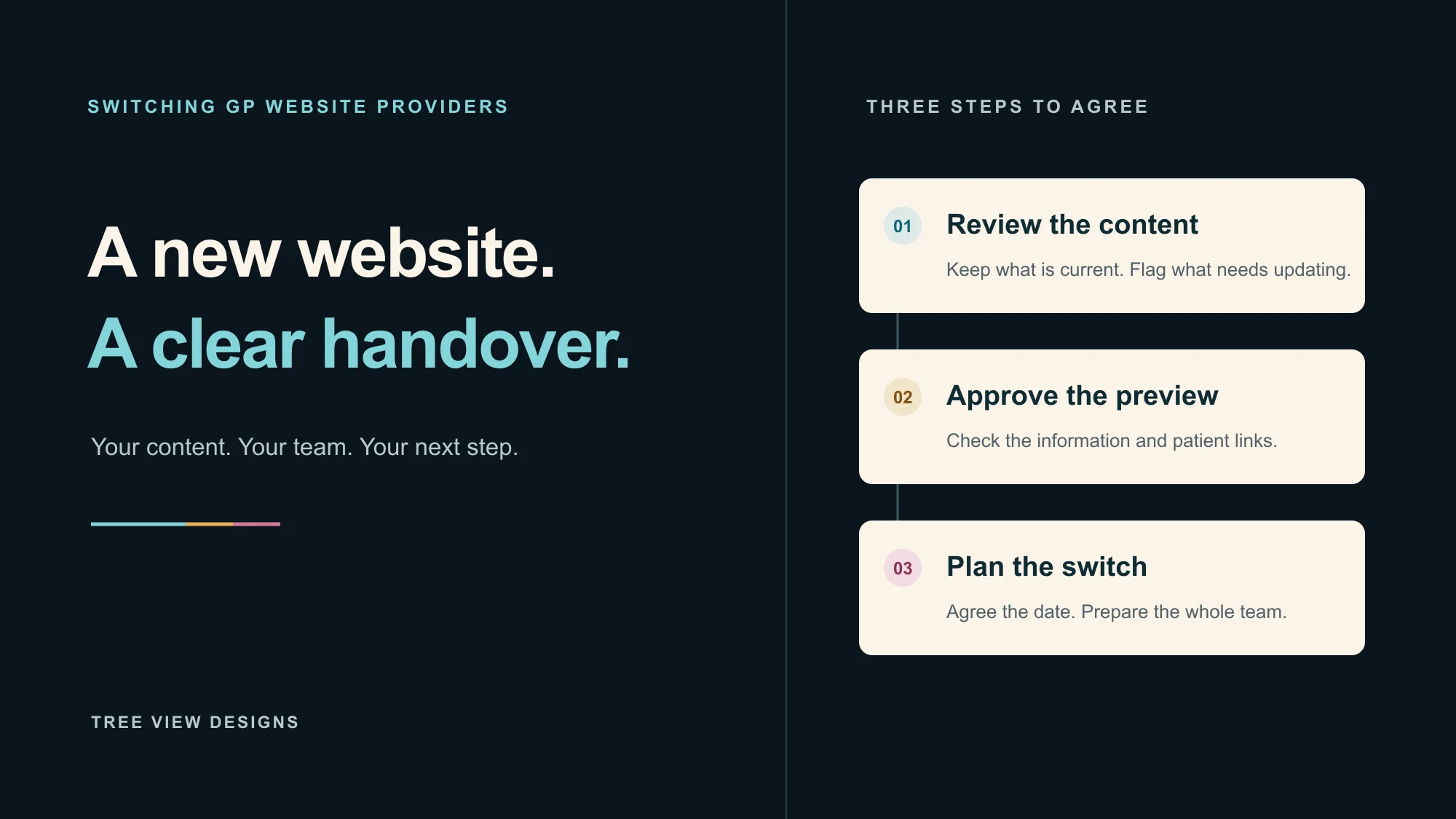
At TVD, we take content from your current public website and ask which information you do not want carried across or know needs updating. That might include former staff, superseded policies or old news. You do not need to rewrite the whole site to begin the conversation.
During the build, we also flag information that looks out of date or needs clarification with the first draft. The practice should check that draft and confirm what is accurate before launch. A new design is an opportunity to tidy the content, rather than carry every old page forward.
Public website content is different from stored form submissions or records in another system. If you need to retain those, agree the export and retention arrangements with the outgoing supplier separately. Do not assume they will arrive with the website content.
Will old links still work?
Keeping the same domain does not guarantee that every individual page keeps the same address. A link to a prescription page could change even though the homepage address stays the same. List important links used in text messages, QR codes, letters, NHS profiles and other websites.
Where a page address changes, a redirect can send visitors from the old address to its relevant replacement. Google’s website migration guidance recommends mapping changed URLs and using permanent redirects. This helps visitors and search engines find the new location; it is not a guarantee that rankings will remain unchanged.
TVD can arrange redirects when requested. Raise this during the handover, especially if the domain itself is changing. A complete redirect of every old page is not automatically included in our current process, so agree the scope before launch.
What should we check before the switch?
We check external links while building the website, avoid adding broken links and tell the practice about broken links we find. The preview is also your opportunity to confirm that registration, online consultation and other services point to the right place for your practice.
Your pre-launch checklist
-
Practice informationCheck contact details, opening times, staff and policies.
-
Patient servicesFollow the links to registration, prescriptions and online requests.
-
FormsAgree replacement forms, their destinations and how the team will access submissions.
-
Existing linksIdentify changed page addresses and confirm any requested redirects.
-
Team accessMake sure the right colleagues know how to sign in to the new control panel.
How long does a GP website move take?
The build, practice approval and domain arrangements all affect the launch date. These are planning estimates, not the time your website needs to be offline.
.nhs.uk
Normally plan for seven days’ notice to the NHS DNS team.
.co.uk
Can proceed quickly once the current provider changes the registrar tag.
.com
We typically allow seven to ten days for transfer arrangements.
The current provider’s response time and any transfer restrictions matter too.
Transfer restrictions can also affect the plan. ICANN’s transfer guidance explains restrictions that can apply to domains such as .com, including some 60-day locks. Ask your technical contact to check the domain before committing to a date.
We normally recommend switching in the evening before the intended go-live day to minimise disruption. Agree the timing with everyone involved, and confirm the outgoing service arrangements before cancelling anything. Different systems can pick up DNS changes at different times.
Make sure the whole practice knows
One of the most common handover problems is simple: one colleague knows about the move, but the rest of the team does not. Share the launch date, control-panel access arrangements and support contact with everyone who updates the site or directs patients to it.
TVD has been building and supporting NHS GP practice websites since 2009. We help you work through the content, technical arrangements and handover so the move feels manageable. Talk to us about moving your practice website, even if you are not yet sure who manages your domain. We can help establish the next steps.